
Flashbacks to My Youth
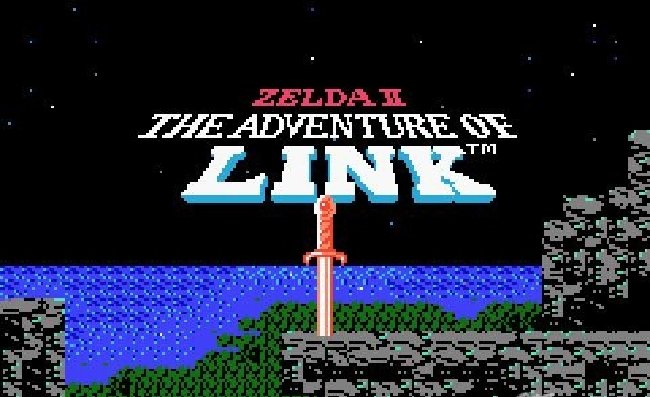
According to a photo I took of it, I received my Push on March 29th of last year. The last time I was so excited about the release of something new was back in 1987, at the tender age of 7 years old, when Zelda II: The Adventure of Link was released. I remember the release was backed up for months and I used to call Toys R Us often to see if it had come in yet.
It was quite the same with Push. I had preordered it from Guitar Center's site in January. I watched as the expected shipping date kept drifting further into the future. I'd seen all the videos. I watched with envy as Ableton certified trainers posted videos of their advanced units. I went to one of the Ableton User Group meetings in New York City where they let swarms of people crowd together and attempt to get a little touch on Push. I was tormented with anticipation, kind of pathetic for a grown man, but I was just so excited. One day, the doorbell rang and there it was, about to try to live up to the impossibly high hopes I had for it. More than anything I was excited about the drum sequencer. Here's a new tutorial I did for WinkSound on that very topic.
Fast forward a year later, and Push has become an essential part of my musical world. It is as much an instrument as anything I own. You learn how to play Push, you get better over time, you constantly learn new ways to use it. I always felt Ableton Live turned the recording studio into an instrument, Push is an extension of that concept. With it, you can play effects and automation just as you would a melody. The new step automation features allow you to create sounds on the fly that would have ordinarily taken hours of painful, surgical mouse-editing.
A Keyboard For Guitar Players
I am not a keyboard player. And although my chops have improved a lot over the years of using MIDI keyboard to control synths, put me in front of a piano and it won't be magic. I understand the notes and can use a keyboard to write melodies and record, but it's not an instrument I am very comfortable on. I grew up playing guitar. I know my way around a guitar and am at home playing one. Push came very natural to me because the notes on the pads (using chromatic mode) are set up the same way as on a guitar. The same chords shapes you make on a guitar work on the Push. That meant that right away Push felt familiar to me. It opened up new doors for me musically, because I could play it like a guitar. Check out the video below as I run through some classic guitar riffs on the Push, using some 8-Bit instruments.
Great for the Studio and the Stage
If you've been following my work, you've no doubt noticed Push's presence on my videos. It is the fastest way for me to come up with new musical ideas. It's right in line with picking up a guitar. Once you get started, it's very quick to sketch out ideas for a new tune. As much love as the Push gets for its compositional enhancements, I find it a great part of my live performance rig. I have a couple videos on the topic in my Playing Live with Ableton Livevideo course. I use it for controlling my synths live. In fact I don't even bring a keyboard on stage anymore, I just use Push. It's excellent for layering sounds over pre-existing tracks, and I find the drum sequencer an ideal way to begin building new tracks. Below are a few examples from the last year of Push in action.
Deeper Control of Push's Aftertouch
Aftertouch refers to the pressure you place on a pad on Push while holding it down. Pressing harder or softer sends out MIDI data that can be used to control anything. The default function can be a little tricky, but Subaqueous has an excellent Max for Live solution. He has created a device that allows you to delay the onset of aftertouch data by a given amount of time, and another that won't transmit aftertouch data until you press that pad hard enough. These two devices literally make the Push twice as fun to play... literally.
Push Performance of the Year
One last thing before I go, I wanted to show you what I consider to be the most impressive Push performance of the year. Adriano Clemente, aka Capcom, put together this performance for Dubspot. It's amazing. The video editing is also incredible. This is a video I've watched multiple times and am still in awe each time. Outstanding! Check it out below, and might I add, Adriano is as nice as he is talented.
Looking Forward to the Future...
So the first year of Push has been a real treat. It's changed the way I make music, and brought the time between idea and realization closer than ever. In fact sometimes the workflow is so fast that I have music before I have the idea of what to do with it. With Live 9.1, Ableton added a note sequencer and the step automation I mentioned before. These enhancements have taken the Push experience to a whole new level. I can't wait to see what this well made instrument is capable of next.
Do you have a Push? Share your experiences and any tracks you've created with it in the comments below.